How to Achieve Developer Toil Reduction: Workflow Automation and Best Practices
6 min read• Dec 03, 2025
Written by

Milestone Team


Most teams waste time on small, repetitive tasks, such as fixing flaky tests, setting up dev environments, running the same checks manually, or clicking through release steps. These are repetitive tasks in software engineering; they don’t add much value, but they slow everyone down. This is what is known as “toil” in the SRE/DevOps world.
Excessive work leads to slower development, context loss, engineer fatigue, and increased errors. The aim of developer toil reduction is straightforward: reduce the number of busywork tasks so that developers can then focus on actual problems.
Getting the inner loop fast and the outer loop dependable is the foundation. With that in place, you can shift focus to scaling, resilience, and continuous improvement. In this article, we’ll show what to automate first, how to standardize safely, and how to tell if it’s working.
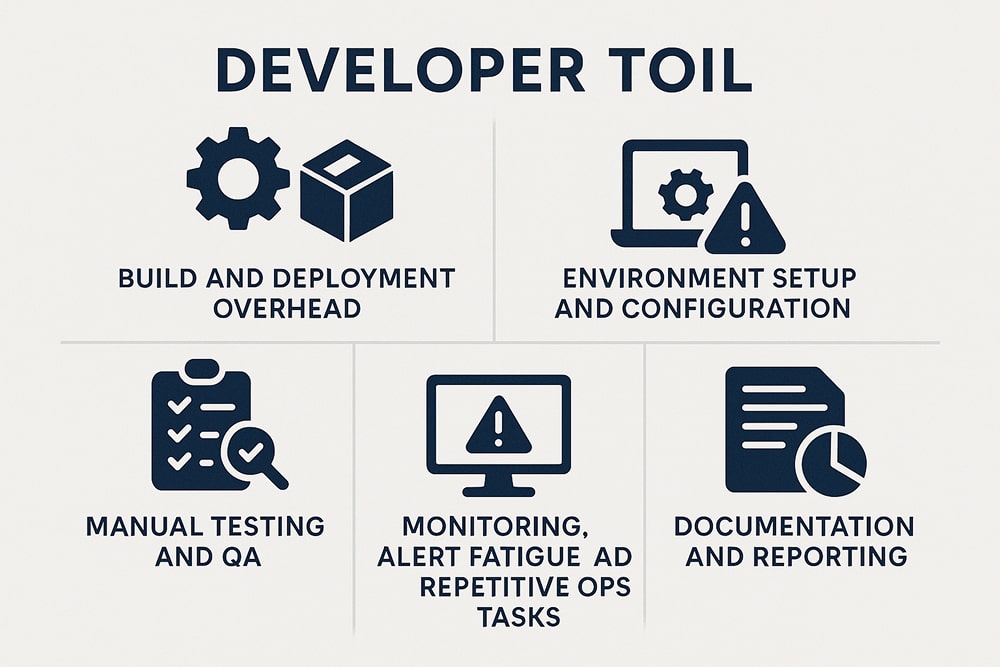
Any repetitive, automatable, and scalable work that diverts time from real engineering and adds little long-term value is referred to as developer toil. It can be removed with more precise standards or minimal automation.
One of the most common causes of toil is the extra work that comes with building and deploying. It is linked to issues such as prolonged build times, manual build promotion, or the use of ad hoc scripts that only one or two people trust. These kinds of manual tasks are time-consuming and prone to mistakes or inconsistency.
Manual testing and QA are another significant source of toil. The process of re-running smoke tests or re-creating the same scenarios after each change is time-consuming and could be used for more constructive activities.
Setting up development environments is usually time-consuming. A significant amount of time is wasted as developers configure local environments to ensure everything is set up with the proper versions and dependencies.
Monitoring and alerting (especially excessive or low-signal alerts), repetitive operational tasks, and manual runbook procedures that must be executed repeatedly for each alert or incident are frequent sources of toil.
Repetitive documentation and status reporting tasks, such as copying metrics into slides, manually summarizing daily changes, or updating meeting trackers, are common toil. That being said, long-lasting documentation like architectural diagrams, API docs, or design rationale is not usually toil.
Here’s how automation can help across key areas of development:
Set up a single pipeline that automates builds, tests, and deployments, eliminating the need for engineers to manually repeat the same steps. With one definition of “done,” let the pipeline run unit and integration tests, build artifacts, and promote releases.
Key Benefits:
Use IaC tools (e.g., Terraform, Pulumi) so environments are provisioned via code instead of manual configuration. This yields consistency and versionability across environments.
Key Benefits:
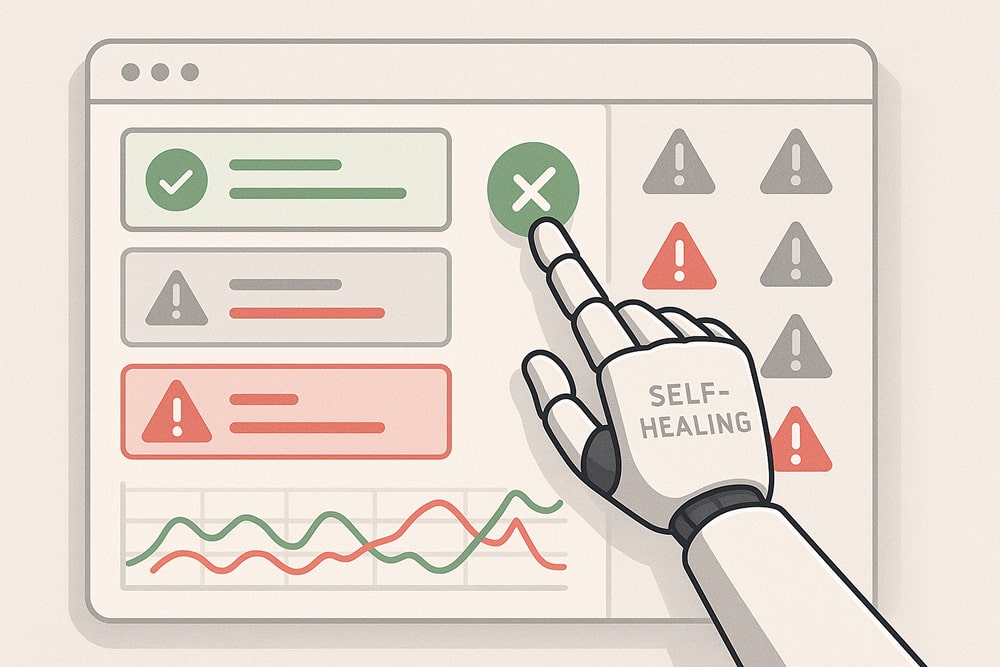
Implement tuned thresholds, suppression lists, anomaly detection, and simple self-healing actions. This keeps engineers focused on genuine incidents and shortens recovery time.
Key Benefits:
Embed operational workflows into your chat or collaboration platform (e.g., Slack, Teams). Let engineers invoke automated actions via chat commands, removing tool-hopping and bottlenecks.
Key Benefits:
The automation tools can generate API documents, changelogs, and dashboards by analyzing the source code and commits.
Key Benefits:
Automate only the most painful and frequent tasks at first, such as flaky builds or manual deploy steps, to demonstrate their effectiveness. Early successes build trust and create a feedback loop that helps the automation get better.
Automation succeeds when everyone follows the same path for builds, tests, and releases; otherwise, scripts must handle endless edge cases. Define version-controlled pipeline templates and shared IaC modules so every service “looks” the same to the tooling.
Track deployment frequency, lead time for changes, change-failure rate, and mean time to recovery (MTTR) to verify that toil is actually shrinking and reliability is rising. Pair those numbers with lightweight developer-satisfaction polls to identify hidden friction that metrics may miss.
Over-automating rare edge cases makes code less stable and takes operators out of the loop. Implement simple guardrails, feature flags, manual-approval gates, and clear rollback commands to enable people to step in when things go wrong.

Using too many overlapping tools drives up context-switching time and integration debt. Look over your tools every three months, get rid of duplicates, and choose platforms that do more than one thing.
Pipelines and scripts age alongside the code they support. If you don’t watch them, they drift and become additional work. Set up reviews to change the thresholds, get rid of runbooks that aren’t used, and rewrite jobs that break easily based on what you learned from incidents.
Give engineers a voice in tool selection and make automation code part of the main repo so anyone can improve it. Shared ownership keeps the tooling relevant and prevents a single “automation hero” bottleneck.
Minimizing toil means automating the right work with the right amount of tooling. Two traps block that goal more than any others: over-automation (too much code for too few problems) and tool sprawl (too many overlapping products).
Creating scripts that cover every edge case can make them fragile, causing them to break when data or requirements change.
Quick fixes
Switching between many disconnected tools fragments context, inflates costs, and slows incident response. Surveys show that teams juggling double-digit DevOps tools cite tool sprawl as a top productivity drag.
Quick fixes
Toil is repetitive, manual work with little lasting value. The inner loop covers day-to-day tasks (code, build, test). The outer loop spans the broader flow (integrate, deploy, operate).
Automate predictable and repeatable tasks to reduce manual work and increase consistency. Avoid making your designs too complicated and refrain from adding excessive automation for rare edge cases. Always check and keep an eye on automation to stop failures that aren’t obvious.
Focus on repetitive, error-prone, and time-consuming work. Target builds, tests, deployments, environment setup, noisy runbooks, and routine checks first.
Reducing developer toil is not just about automating to make developers’ lives easier. It’s about maintaining your deep focus and regaining your energy for work that truly matters. Automation in CI/CD, IaC, monitoring, and alerting can speed up delivery, lower stress, and increase productivity when done carefully. Start small, make changes carefully, and keep track of your progress. Slowly move your time from maintenance to meaningful engineering.
Sign up to our newsletter
By subscribing, you accept our Privacy Policy.