Modern applications move fast: feature branches, daily releases, dozens of services, and a long list of dependencies. In that environment, hoping that manual reviews and a few tests will catch every security problem is optimistic at best.
This is where code scanning comes in; it automatically inspects your source code for bugs, security issues, and bad patterns before they reach production. For security engineers and developers, it’s one of the easiest ways to “shift left” and scan code for vulnerabilities without slowing the team down.
What Is Code Scanning?
Code scanning is an automated process that analyzes your source code without executing it, looking for problems such as:
- Security vulnerabilities
- Bugs and reliability issues
- Violations of coding standards
- Potential compliance issues (for example, handling of sensitive data)
Most code security scanning tools use static analysis. They parse and model your code, apply a large set of rules, then report context issues: the file, line number, and why the pattern is risky.
You’ll often see code scanning described alongside:
- SAST (static application security testing), which focuses on security flaws in your own code.
- SCA (software composition analysis), which focuses on open-source dependencies and their known CVEs.
Both SAST and SCA are important. Together, they help you scan code for vulnerabilities across custom code and third-party libraries.
Why Code Scanning Matters
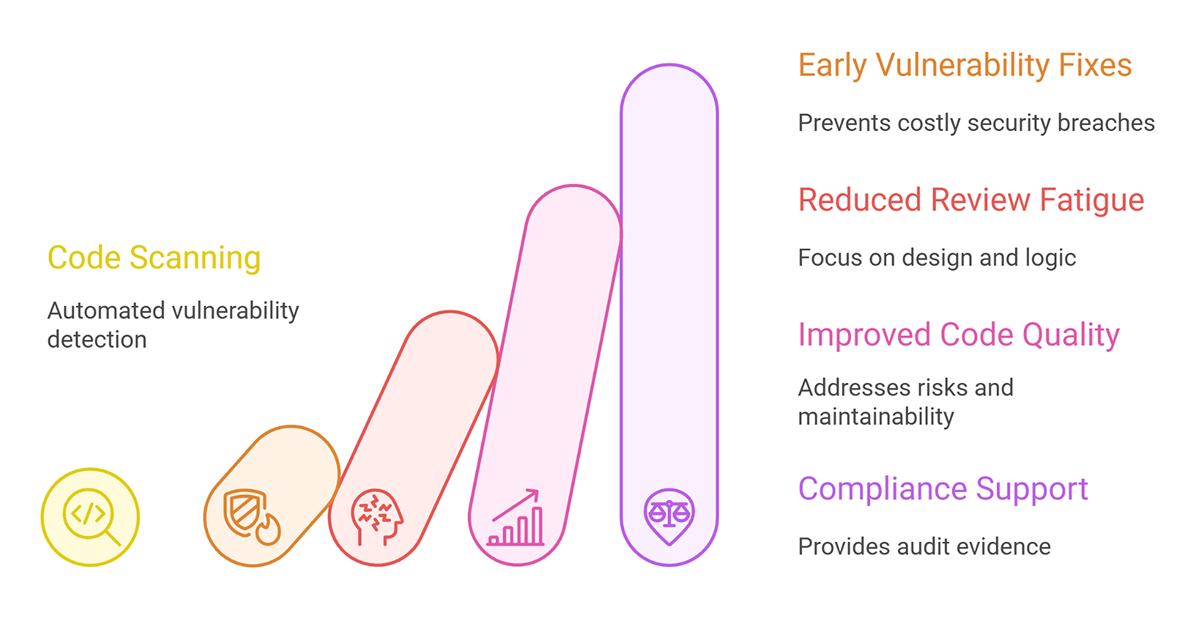
Why should you add yet another tool to your pipeline?
1. Catch vulnerabilities early
Fixing an SQL injection vulnerability or a hard-coded secret is cheap in a pull request, but it becomes expensive when an attacker finds it first. Code security scanning reveals these issues as soon as they’re introduced, not months later during a penetration test.
2. Reduce manual review fatigue
Reviewers aren’t as good as tools at spotting the same pattern for the hundredth time. Once scanners apply standards and flag certain recurring mistakes, people can work on design and business logic rather than searching for unsafe string concatenation.
3. Improve code quality, not just security
Code vulnerability scanning tools also point out:
- Risks with null pointers
- Resource leaks
- Dead code and repeated logic
- Maintainability and code smells
This means that every run improves both safety and long-term maintainability.
4. Support compliance and audits
If you work in a regulated environment (e.g., finance, healthcare, or the public sector), you may need evidence that you regularly scan for code vulnerabilities. Code scanning tools provide:
- Dashboards and reports
- Baselines over time
- Proof that critical issues are tracked and fixed
Auditors like that. Security teams like it even more.
How Code Scanning Fits Into Your Workflow
A common question: “Do we really need another step in CI?” In practice, code scanning works best when it’s blended into your existing tools.
A typical setup looks like this:
- The developer writes code in the IDE.
- The local or IDE-integrated scanner highlights obvious issues as they type.
- On push, CI runs code scanning alongside tests.
- The tool annotates pull requests with the issues it finds.
Teams enforce simple rules, like “no new critical vulnerabilities on the main branch.”
Tools like SonarQube and Snyk Code integrate directly with GitHub, GitLab, and other platforms, so results appear where developers are already working.
Choosing Code Vulnerability Scanning Tools
There’s no single “best” tool, but there are good ways to evaluate them. When comparing code vulnerability scanning tools, consider:
1. Language and framework support
- Does it actually understand your stack: Java, .NET, Node.js, Python, mobile, infrastructure-as-code, etc.?
2. Developer experience
- IDE plugins (VS Code, IntelliJ, etc.)
- Pull request comments that are easy to read
- Clear explanations and remediation tips
3. CI/CD integration
- Can you fail a build when new critical vulnerabilities appear? Can it scan on every pull request without adding minutes to the pipeline?
4. Signal vs. noise
- False positives destroy adoption. Certain modern systems utilize AI or more sophisticated rule engines to help reduce noise and home in on actionable issues.
5. Coverage beyond code
- Many platforms integrate SAST, SCA, container scanning, and IaC (infrastructure as code) scanning into a single location, allowing you to see issues across your entire application and supply chain.
If you want a deeper vendor perspective, SonarSource’s code scanning guide and Snyk’s introduction to code scanning are good starting points.
Best Practices to Scan Code for Vulnerabilities
Once you pick a tool, how do you use it effectively?
1. Start with no new critical issues.
- Don’t try to fix your entire history on day one. Freeze current debt and prevent new high-risk problems from being merged.
2. Make it part of the definition of done.
- A change isn’t “done” if code scanning flags a serious vulnerability that nobody has triaged.
3. Tune rules gradually.
- Disable noisy checks that don’t fit your context. Add custom rules for your internal frameworks or security guidelines over time.
4. Teach developers how to read findings.
- A short brown-bag session on “how to read our code scanning reports” can remove a lot of friction.
5. Combine with SCA and runtime testing.
- Code scanning is powerful, but it’s not magic. You still need dependency scanning, dynamic tests, and good observability in production.
Final Thoughts
Code scanning isn’t just for security teams anymore; it’s a simple way for developers to maintain high code quality and catch vulnerabilities before they ship. Start small: plug a scanner into one service, block new critical issues, and let developers see the value in their everyday workflow. When feedback is fast and useful, code scanning stops feeling like a gate and just becomes part of how you build software.