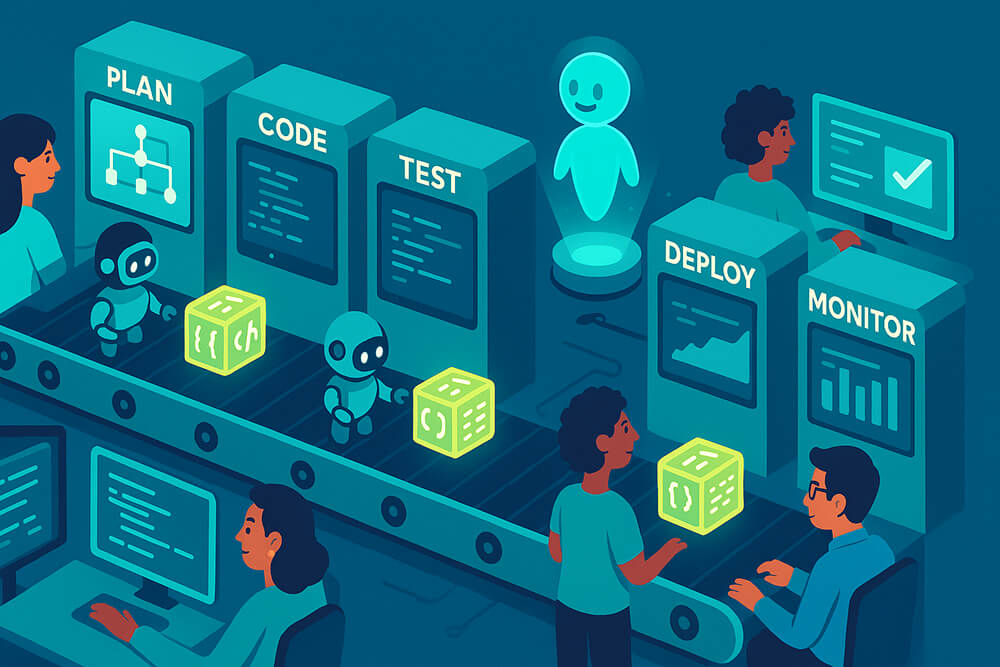
Software development automation is no longer a trend; it is how most teams work today. In 2025, 84% of developers report they already use, or will soon use, AI-powered tools in their daily jobs, and over half use them every single day. GitHub’s own Copilot assistant has grown to surpass 15 million users in just one year, a sign that automated software development is now mainstream. By letting machines take over routine tasks, companies ship features faster, fix fewer bugs late in the cycle, and keep engineers happier.
What is Software Development Automation?
Automation can help with every part of the software development lifecycle.
- Plan & track: bots can open issue tickets, label pull requests, or remind team members when deadlines are missed.
- Write code: AI editors suggest whole functions, fill in unit tests, and flag insecure patterns while you type.
- Test early and often: scripts spin up container builds and run thousands of checks in seconds.
- Merge & release (CI/CD): when tests pass, pipelines build, sign, and deploy to the cloud without human clicks.
- Watch & heal in production: monitoring services automatically restart failed pods, roll back bad deploys, and open chat alerts.
Together, these steps form a digital assembly line that turns raw ideas into reliable software with far less manual effort.
Benefits of Automated Software Development
Speed
- Builds, tests, and releases move from manual checklists to “push-and-go” pipelines.
- A fintech that moved to a managed CI/CD service cut release time from 2 weeks to < 2 days (-80%).
Developer productivity
- AI assistants draft boiler-plate code, write unit tests, and even suggest doc comments.
- A Microsoft/Accenture experiment with 4,867 devs saw 26% more pull requests merged per week when Copilot was enabled.
Cost efficiency
- Fewer hand-offs mean fewer expensive re-tries and after-hours fixes.
- JPMorgan Chase reports a 10–20% efficiency bump after rolling out an in-house coding assistant.
Quality & safety
- Automated tests and security scans run on every commit, not just before a big release.
- Teams that add test automation typically catch regressions minutes after code is written, not days later in QA.
Consistency & compliance
- Scripts do steps the same way, every time, and policy checks (“no secrets in code,” “licenses OK”) become part of the pipeline.
- Many large firms now encode legal and security rules as pipeline gates, automatically stopping non-compliant builds.
Happier engineers
- People spend more time designing features instead of tedious tasks.
- In the 2025 Stack Overflow survey, 51% of professional developers say they use AI tools every day, mostly to “make work more enjoyable.” (survey.stackoverflow.co)
Scalable ops
- Infrastructure-as-Code (IaC) spins up identical test, staging, or recovery environments in minutes.
- Cloud teams routinely clone whole environments for quick bug hunts, then tear them down to save costs.
Best Practices of Automated Software Development
Start small-pick one pain point
- Good first targets: unit-test automation for a flaky module, or a basic CI build that just compiles and runs tests.
- Measure before-and-after (e.g., “time from commit to green build”). Clear numbers build trust.
Keep humans in the loop
- Treat AI-written code like any other code: require peer review and run static analysis.
- For critical systems, add a manual approval step at the end of the deployment pipeline until failure rates trend down.
Version-control all automation
- Store pipeline YAML files, Terraform files, and helper scripts alongside application code.
- When the pipeline breaks, you can use git bisect to identify the bad change, just as with normal code.
Invest in skills, not only tools
- Schedule workshops on test-driven development, IaC, and writing robust pipeline scripts.
- Give senior engineers time to write internal docs and “golden-path” examples for newcomers.
Build guardrails as code
- Add automatic checks for secrets, license violations, and security CVEs; failing fast is cheaper than patching prod.
- Large banks and healthcare organizations succeed here by encoding policy rules directly into their CI systems.
Observe, alert, and iterate
- A dashboard that shows build time, failure rate, and mean-time-to-recovery makes invisible wins visible.
- Use synthetics and canary releases so that any bad build is rolled back automatically while you sleep.
Plan for exceptions
- Write a playbook: if the pipeline or AI agent fails, then fall back to a manual path.
- Run “game-day” drills so the team can practice fixing pipelines under a time limit.
Review the ROI every quarter.
- Combine hard numbers (cycle time, defects found in prod) with soft signals (developer survey scores).
- Kill or adjust automations that add overhead without a clear payoff—tools should earn their keep.
Conclusion
The automation of software development, from smart editors to hands-free deployments, turns slow, error-prone tasks into background noise. Teams that adopt it thoughtfully ship faster, reduce bugs, and free developers for creative work. Start small, measure gains, keep people in charge, and your organization can ride the wave of software development automation into the future with confidence.
