How to Quantify the Effect of AI on Code Quality: Key Metrics and KPIs
8 min read• Jan 21, 2026
Written by

Milestone Team

Using AI for coding is no longer experimental. Programs like Cursor, GitHub Copilot, and Qodo have become the standard for writing code. Teams see productivity improve as AI can follow direct instructions and write code at superhuman levels.
But the same question continues to arise in leadership meetings: how do we know AI is improving the code, or is it simply allowing us to churn out lower-quality code faster? Productivity is easy to measure in the short term, but code quality is more challenging to assess, especially when more lines of code are written to accomplish simple tasks, and the code passes tests but has difficult-to-fix underlying issues. AI has gained attention as a solid productivity tool and, in some cases, a productivity killer. The way developers use AI coding assistants and how teams manage the AI’s output makes a big difference.
This article cuts through that uncertainty by focusing on key code-quality metrics and KPIs in maintainability, security, and performance, so you can quantify AI’s impact and decide whether it’s strengthening your systems or quietly increasing the risk.
When it comes to code quality, there are several standards that all developers can agree on.
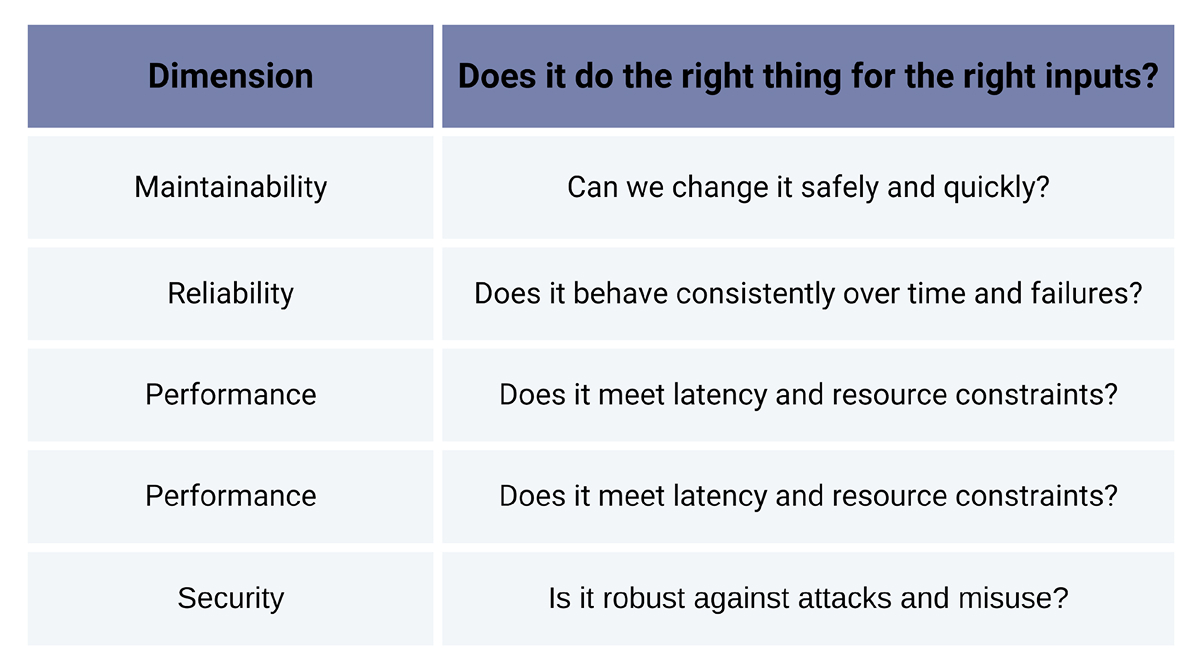
These pillars are universal and won’t change whether humans or AI writes the code. The only change is how you get there. AI doesn’t redefine quality; it just reshapes the path to it.
Because of this, the question “Does it build and pass CI?” is no longer enough. You need to see how AI affects defects, maintainability, security, and performance over time.
You don’t need a brand-new KPI universe for AI. You can reuse most of your existing software quality metrics, but you should:
Let’s go through the most useful buckets.
Question: Has AI caused an increase in the number of bugs that escape and the severity of their impact?
Useful metrics:
AI-generated code can be very “fluent”: it looks right, fits your patterns, and works. That’s exactly why production defect trends matter so much. If hotfixes and regressions spike after adoption, you’re shipping plausible but fragile code.
A simple approach:
AI is excellent at producing working code. It’s less picky about whether that code is understandable by humans or pleasant to live with for years.
Track things like:
If your velocity goes up, but complexity creeps up, duplicated code rises, or tech-debt tickets pile up, then AI is silently increasing your long-term change costs, adding technical debt under the carpet. A useful pattern is to review a random sample of AI-heavy PRs each sprint and ask:
AI changes what reviewers see: larger diffs, more scaffolding, more “generated” boilerplate. It’s becoming common to see PRs with hundreds of lines of code added and modified in a few hours. There are several metrics to watch in your code review process
1. PR review cycle time
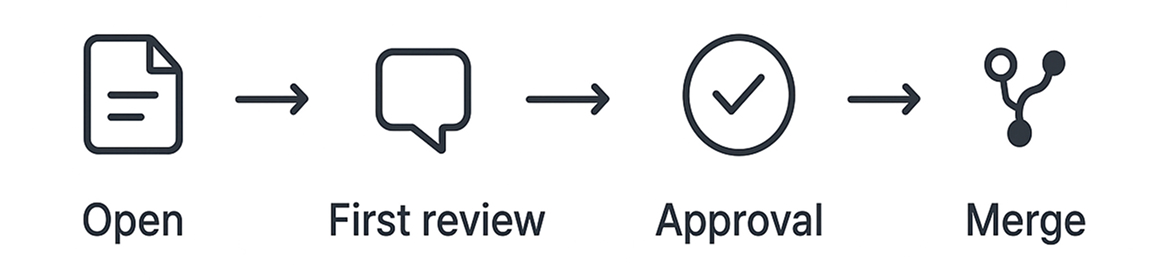
2. Comments per PR
3. Re-review rate
4. Average PR size
Healthy AI usage should give you roughly the same review time for similar-sized PRs or even faster, while keeping defect rates stable or lower. If review times climb and comments balloon after AI adoption, you’re drowning reviewers in noisy diffs.
A practical rule of thumb for teams is to encourage smaller, focused PRs, even with AI. And, it’s a must for the developer to review every line of code and take full ownership of the code in the PR, regardless of whether it’s generated by AI or typed by hand. It’s also important to avoid “big bang” AI refactors without strong tests and a clear scope.
AI can write your unit tests, integration tests, etc. However, AI testing overlaps with functionality, thus leading to a false sense of security.
Consider the following:
Signs of trouble:
If you introduce AI-generated tests, run mutation tests on those modules, and review surviving mutations. Anywhere mutants survive, your tests probably assert too little or only test “happy paths”.
Security is where “correct-looking” code can really hurt you. Therefore, it’s important that you monitor:
You don’t need a special “AI security metric,” but you do need to compare:
A simple practice is to tag PRs where AI contributed a meaningful portion of the change (some tools do this automatically). Then compare how often those PRs trigger security issues.
AI can produce working algorithms that are not ideal. Therefore, it’s essential to track latency and error rates for key endpoints, CPU and memory usage for critical services, and-most importantly-the cost per request/per tenant for your infrastructure.
Any time an AI-heavy change lands, you should ask:
A neat trick: in your observability dashboards (Datadog, Prometheus, etc.), annotate major AI-driven features or refactors. Then you can visually correlate those deployments with changes in performance or cost.
Finally, AI changes how people work, and it shows up in the process data and sentiment they make. Therefore, it’s important to ask the questions:
And it’s important to measure developer satisfaction with AI tools by conducting short, regular surveys. Qualitative feedback matters here. Ask developers these questions:
Once you have a baseline and measurements after using AI for some time, what does “good” look like?
In that world, AI is making it cheaper to hit the same quality bar.
If this happens, you don’t necessarily need to abandon AI, but you do need stricter guardrails, such as:
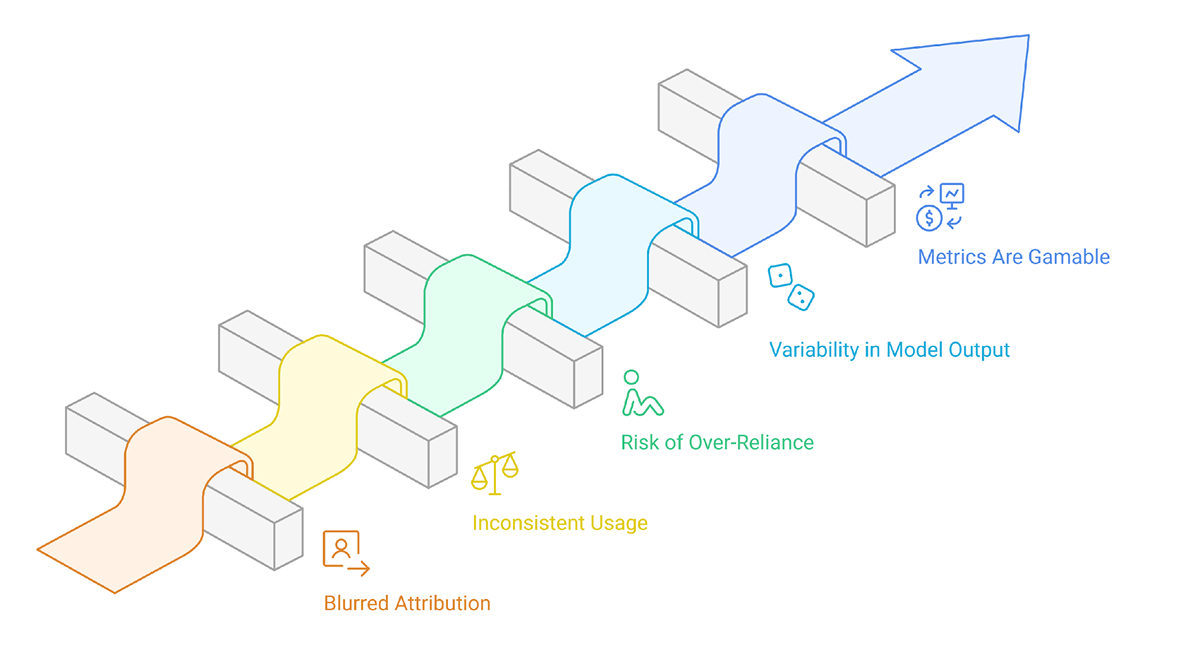
Even with good metrics, it’s hard to cleanly measure what AI is really doing to your codebase.
1. Blurred attribution between humans and AI: It is difficult to determine whether a bug or improvement arises from a developer, a model, or a developer/model collaboration.
2. Inconsistent usage across teams: Inconsistent application of AI across teams will lead to invalid and misleading claims about quality and impact.
3. Risk of over-reliance: Developers may rely heavily on AI to skip steps such as engagement, design thinking, testing, or slower review processes to avoid work.
4. Variability in model output: Evaluating and reproducing results consistently is problematic because AI can generate different responses to the same prompt.
5. Metrics might be gamed: If speed and volume are highly rewarded, the AI will inflate the metrics without actually improving the work’s correctness or maintainability.
Establish a baseline at the beginning regarding AI, covering defects, regressions, complexity, and test coverage, and then compare the trend after deployment. If the speed of development rises and there aren’t many defects that escape, hot fixes, or additional complexity (or it improves) when using AI, then it helps quality, not merely enabling faster deployment.
If you want a lightweight start, focus on:
Together, they describe stability and long-term maintainability.
Use IDE/SCM features that mark AI suggestions, or add a PR label (e.g., ai-assisted). Even approximate tagging is valid; you just need enough signal to compare AI-heavy vs. non-AI changes.
It can, if you turn it into a reporting project. Keep a small dashboard of 5–7 metrics, review them monthly or quarterly, and automate collection whenever possible.
Don’t panic or ban the tools. Tighten guardrails instead: establish smaller PRs, stricter tests for AI-heavy changes, more explicit review rules, and better prompt guidance. Treat it as a process problem, not just a tooling problem.
AI is now part of the modern development stack. Ignoring it is not realistic. Blindly trusting it is dangerous.
The middle path is simple, but not easy:
If you do that, AI will be much more than a shiny productivity hack. It will become a measurable, manageable part of your code quality system, and that’s where the real value lies.
Sign up to our newsletter
By subscribing, you accept our Privacy Policy.
