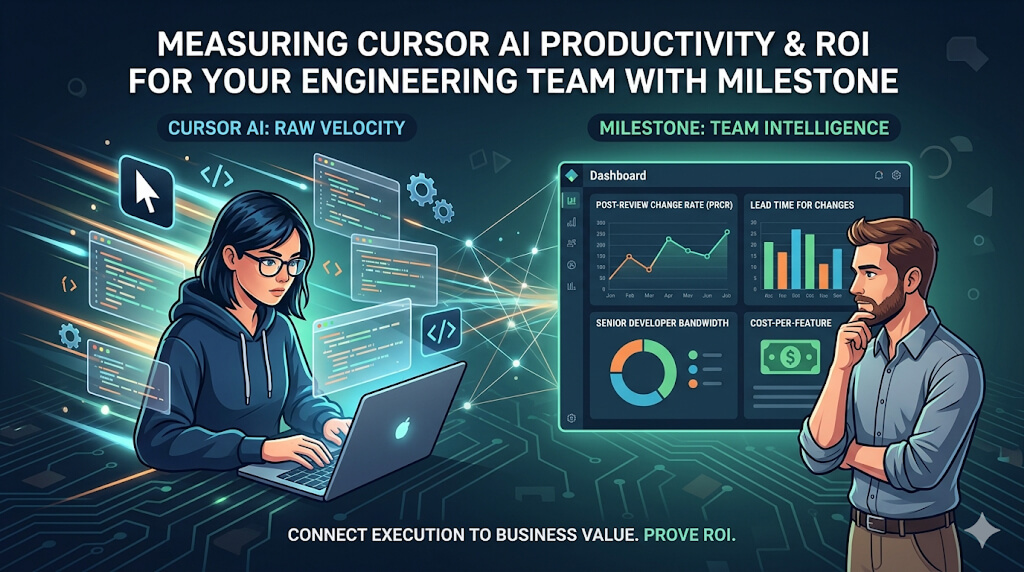
We are currently seeing a massive spike in code production. With Cursor’s composer and its ability to handle multi-file refactors, a developer can now do in 30 seconds what used to take an hour. On paper, that looks like a 120x speed increase. But for most engineering leaders, this new speed is creating a massive visibility gap.
When you flood your pipeline with AI-generated code, work doesn’t just disappear-it moves. The burden shifts from the person writing the code to the person reviewing it. If that code doesn’t align with your specific architecture or your internal standards, you haven’t actually made the team faster. You’ve just traded a coding bottleneck for a much more expensive reviewer bottleneck.
To scale Cursor AI in your company, you can’t just look at how many people are using the tool. You have to measure if the code produced with it is helping the business or merely creating a mountain of technical debt. Milestone is the tool built to figure that out.
Cursor: Overview and Stats
Cursor is an AI-first code editor designed to handle the execution layer of software development. Unlike standard autocomplete plugins, it indexes a team’s entire codebase locally, enabling it to perform agentic edits. This allows the tool to modify multiple files simultaneously to implement a single feature or logic change.

As of 2026, Cursor has reached $2 billion in annualized revenue and is used by over 50% of Fortune 500 companies. Despite its widespread adoption, Cursor remains a local development tool. It operates independently of an organization’s Git history, project management tickets, and deployment timelines. Consequently, it cannot track the total time required for a feature to reach production. Measuring engineering productivity at scale requires a system like Milestone to integrate these disconnected data points into a single system of record.
What Milestone Measures

The Milestone AI Impact Dashboard, comparing AI-assisted and non-AI workflows.
Most CTOs are currently guessing when it comes to AI. They pay for the licenses and hope for the best. Milestone changes that. It moves the conversation from “Are we using AI?” to “Is AI making us better?” by looking at three things:
1. The Adoption Rate
Buying 500 licenses doesn’t mean you have 500 productive AI developers. Usually, you may have 10 power users and 490 people who use it for basic autocomplete. Milestone finds these gaps. It shows you exactly where the tool is being used and where it isn’t. This helps you find the teams that are struggling so you can help them adopt better workflows, rather than just paying for shelfware that nobody touches.
2. True Velocity
True Cursor AI developer productivity isn’t measured by how many files were touched; it’s measured by the speed at which features move from a Jira ticket to a production merge. Milestone benchmarks AI-assisted work against your historical non-AI baselines. This provides a clear window into whether your investment is shortening the delivery lifecycle or simply inflating your PR volume with low-signal code.
3. Code Stability
There is a new engineering risk called AI Toil. This is what happens when your senior developers spend their entire day fixing almost-correct AI suggestions. It’s exhausting, and it’s a waste of their talent. Milestone protects your team by tracking rework and churn. If AI-generated code consistently causes bugs or requires immediate fixes, Milestone flags it before it becomes a disaster.
The Metrics That Matter for ROI

Post-Review Change Rate and Code Churn Analysis.
If you want to justify the cost of Cursor to a CFO or a board, you need hard numbers. Milestone gives you those:
- Post-Review Change Rate (PRCR): This is the most important metric in 2026. It tells you what percentage of AI code had to be rewritten after a human looked at it. If this number is high, you have a quality problem.
- Lead Time for Changes: This measures the total time from the first edit in Cursor to a successful merge. This is the only way to see if you’re actually moving faster.
- Senior Dev Bandwidth: Are your senior engineers finally getting time to work on architecture, or are they stuck cleaning up AI messes? Milestone tracks where their time is actually going.
- Cost-per-Feature: This connects the money you spend on tools to the actual features you ship. It’s the ultimate bottom-line metric.
Improving the Culture, Not Just the Code
The best teams don’t just use Milestone for reports; they use it to get better. If the data shows that code quality is dropping in a specific part of your app, you can update your .cursorrules or change how you’re prompting the AI.
This creates a loop of continuous improvement. You aren’t just throwing a tool at your developers and hoping for the best. You’re building a culture where data drives how you use AI.
Conclusion
Moving to AI-native engineering is going to happen whether we like it or not. But being fast isn’t the same thing as being successful. To get real R&D efficiency, you have to bridge the gap between what a developer does at their desk and what the team delivers to the customer. Milestone is the piece of the puzzle that turns Cursor’s raw speed into actual business value.
If you want to maximize the impact of your Cursor AI investment, book a demo with Milestone today and start measuring the real ROI of your engineering team.
FAQs
1. How does Milestone track Cursor?
It doesn’t just watch the IDE. It connects to your Git and Jira. It looks at the timeline from the moment a dev starts a task in Cursor to the moment that task hits production. By comparing this to your historical data, it calculates real-world acceleration.
2. Which metrics should I care about most?
Focus on the Post-Review Change Rate (PRCR). This tells you if Cursor is helping your devs write better code or just more code. If the PRCR is low, your team is hitting its stride. If it’s high, you’re just building technical debt faster.
3. Can I see which teams are the best at using AI?
Yes. Milestone lets you break down the data by team or project. You can see which groups have figured out the best workflows and then share those wins with the rest of the company. It’s the best way to move from a few AI heroes to an entirely AI-productive organization.
4. Does it work if we use other tools too?

Cross-tool ROI attribution, comparing Cursor, Claude Code, GitHub Copilot and non-AI PRs.
Definitely. Milestone doesn’t care if you use Cursor, Claude Code, or Copilot. It gives you one single dashboard to see which tools are worth the money and which ones are just hype. This lets you make budget decisions based on data, not just what’s trending online.