NewMilestone Playbooks

Expert answers from
your engineering data.
At the push of a button.

Milestone Playbooks run the analysis an expert would run on your AI spend, adoption and delivery. Each one is built on Milestone’s know-how in measuring AI in engineering. Pick a playbook, set the scope, press Run.

Available now in Milestone · Nine ready-made playbooks

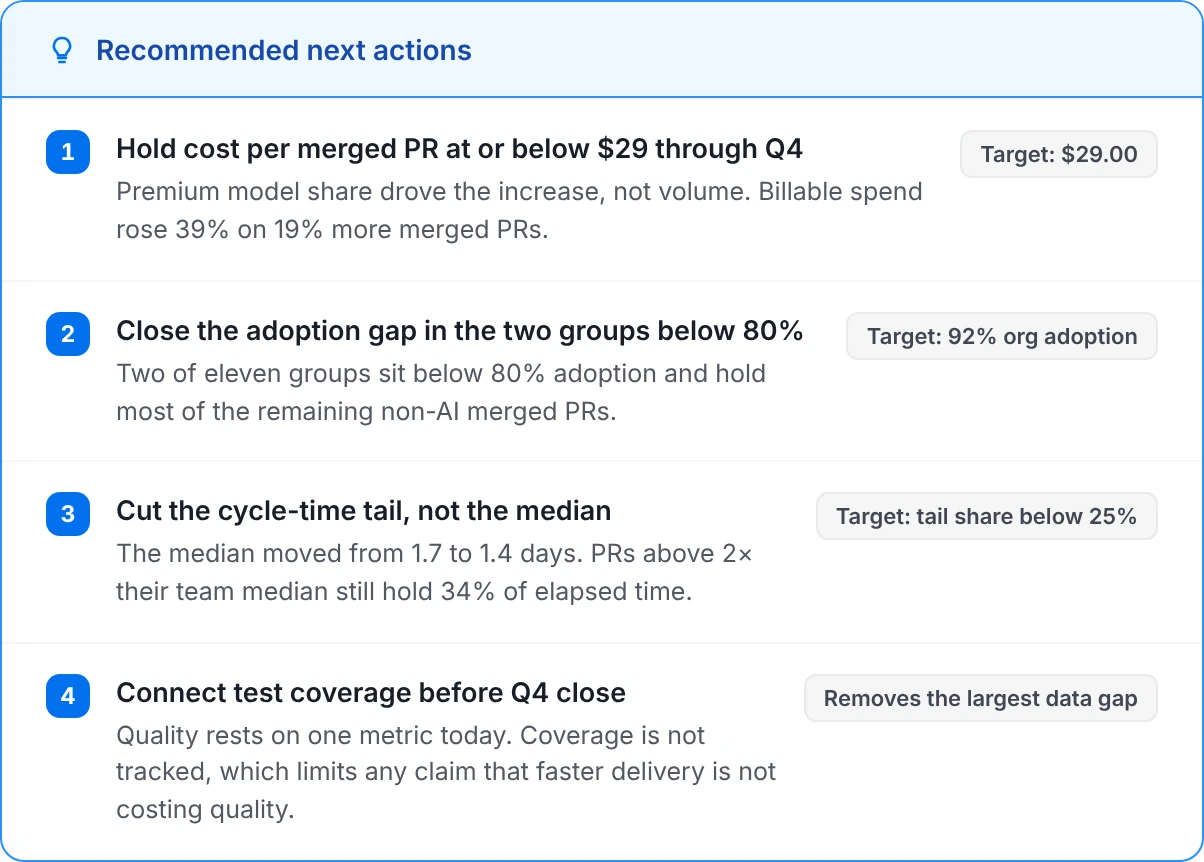
A Milestone report: Leadership AI impact briefing
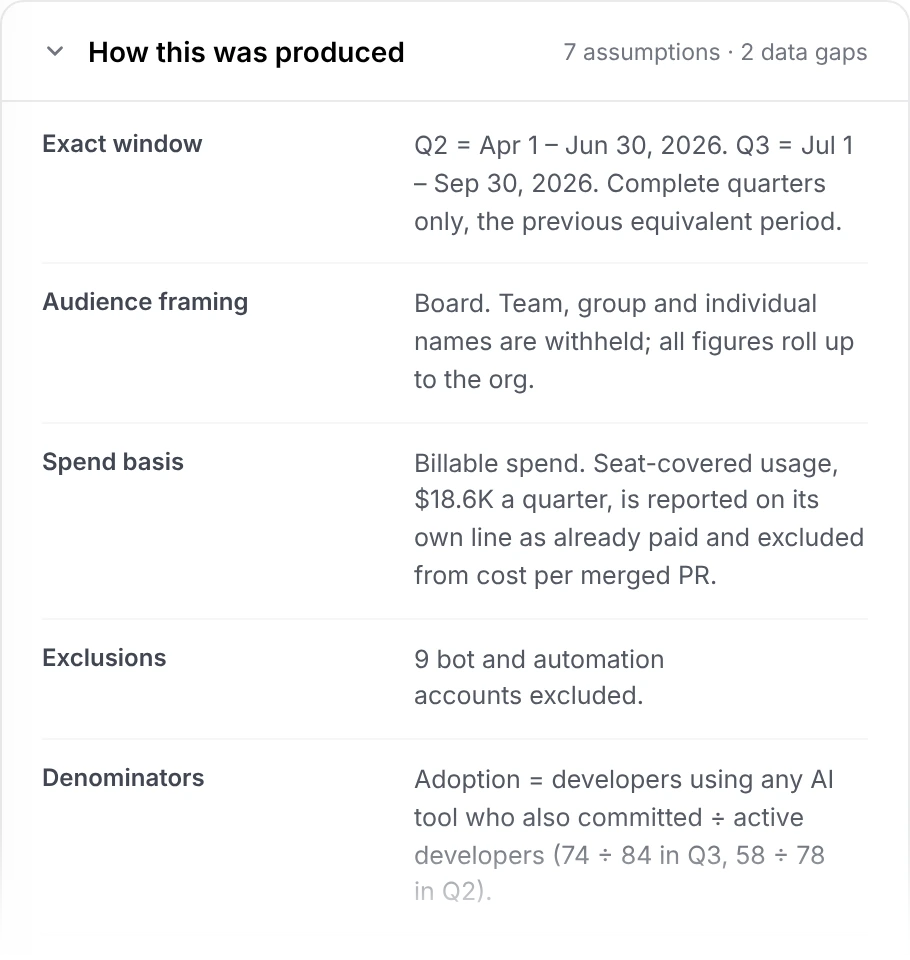
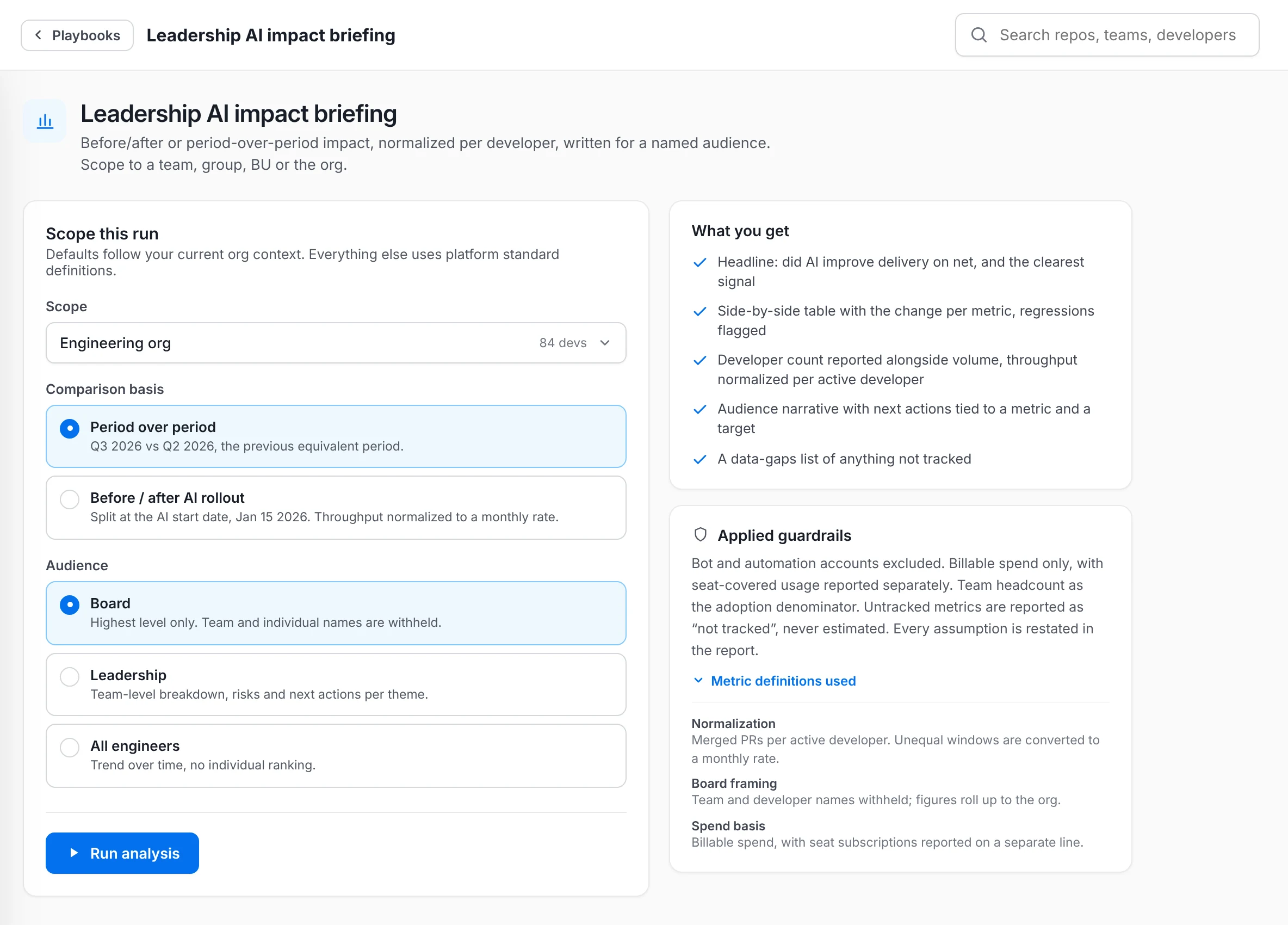
Applied guardrails, from the playbook’s setup screen
Leadership AI impact briefing · the answer first, read the right way
The problem

The right insights take expertise.

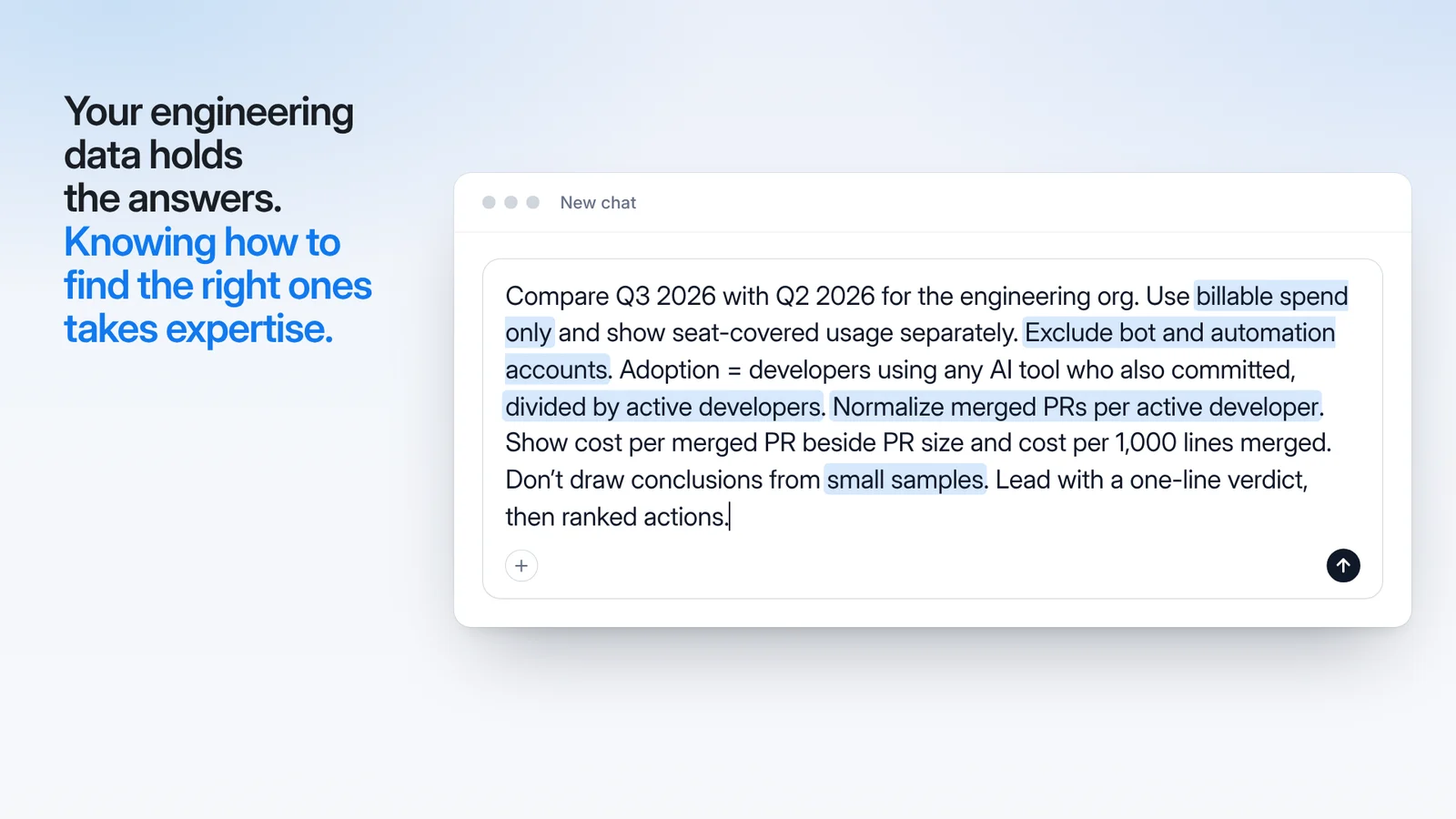
Ask whether AI is paying off, and the answer depends on what goes into the analysis: which metrics, which denominator, billable or seat-covered spend, what to leave out, which comparison. Miss one rule, and you get the wrong answer. That know-how usually sits with a few specialists, so the answer changes with who asks.

Knowing what to ask

which metric? which denominator?
Today
The answer depends on what goes into the question.
Missing
The questions an expert would ask.

Knowing which analysis fits

scorecard? ROI? root cause?
Today
Each question needs a different analysis.
Missing
The right analysis for the job, ready to run.

An answer that moves

+19% or +11%?
Today
Ask twice, get two framings of the same quarter.
Missing
One method you can compare month to month.
How it works

Know-how in. Answers out.

Milestone’s know-how, packaged into a playbook for each big question. Pick it, run it, compare it over time.
The film

See a playbook run in 60 seconds.

Getting the right insights from your data takes expertise. Watch Omar pick a playbook, press Run and get the answer read the right way, with last quarter’s run there to compare.

The film’s opening frame: a chat box holding the long prompt an expert would write for a good answer, with its key rules highlighted: billable spend only, exclude bot and automation accounts, divided by active developers, normalize merged PRs per active developer, small samples.60 seconds
Illustrative data · Corvant is a fictional company
Built in

Milestone’s know-how, built in.

Each playbook packages how Milestone measures AI in engineering: the questions to ask, the data to pull, the metrics and denominators that hold up, and the traps that change a conclusion. It is built from the questions engineering leaders ask Milestone most and the analyses that answered them best.

  • The right metrics for the question, already chosen.
  • Guardrails and definitions, applied for you.
  • A clear answer, then ranked next steps.
Playbooks Expertise Setup
Playbooks Expertise Actions
Illustrative data
Push-button

Pick it. Set it. Run it.

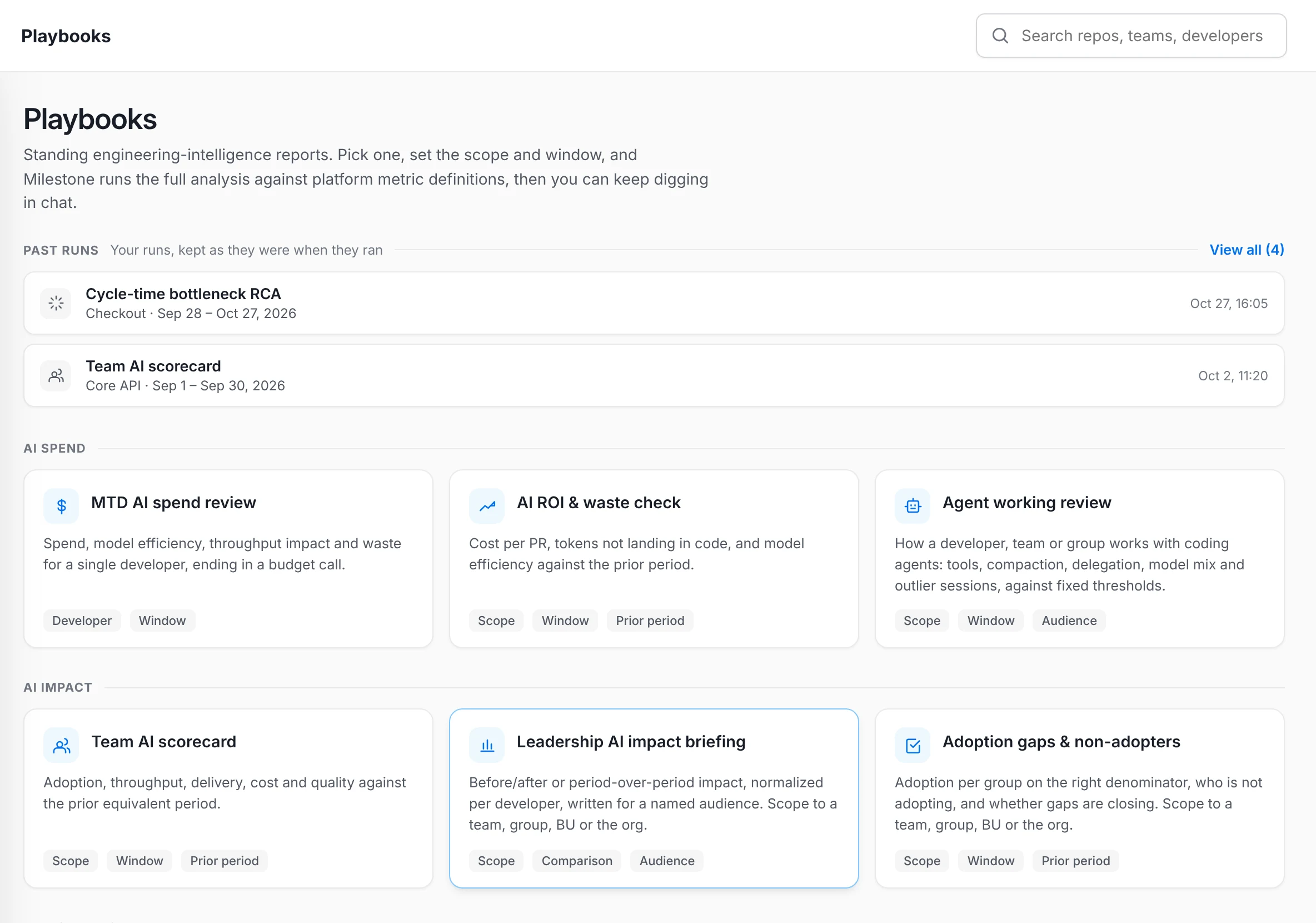
Nine playbooks, one for each big question about AI spend, AI impact, performance and your own usage. Pick one, set the scope and window, press Run. The prior period comes from the window, and the self-check knows who you are.

  • No analysis to design, no prompt to write.
  • See the definitions before you run.
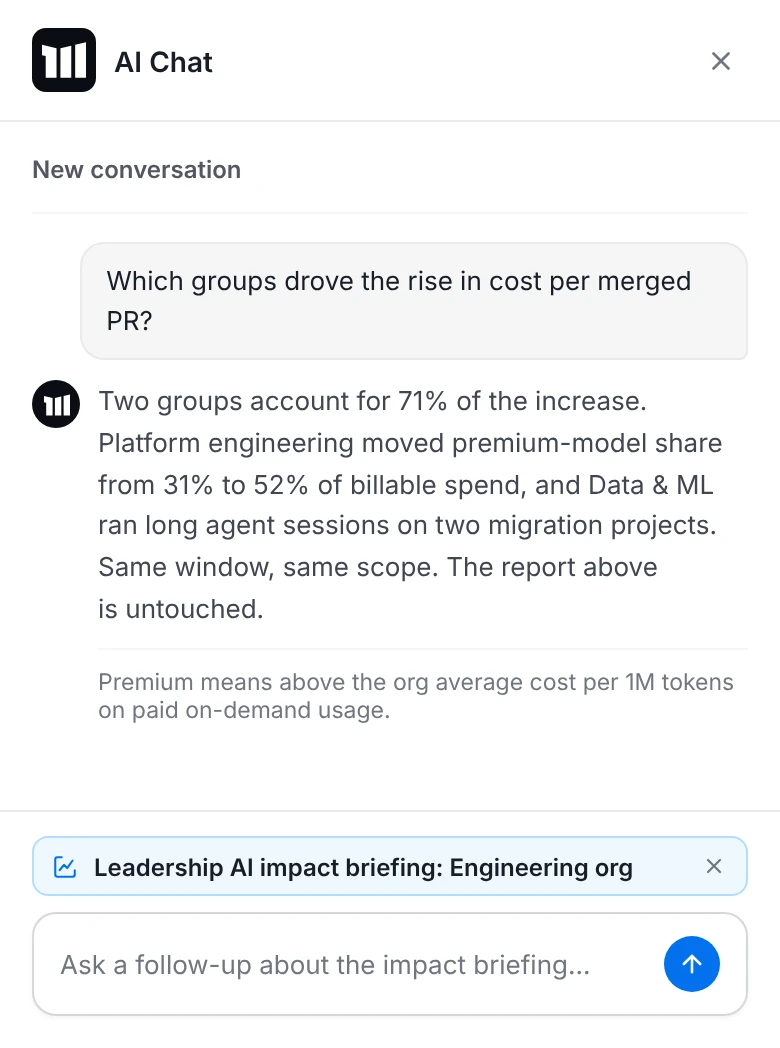
  • Ask follow-ups in AI Chat, with the report attached.
Playbooks Run Gallery
Playbooks Run Chat
Illustrative data
Compare

Same method every time. Compare over time.

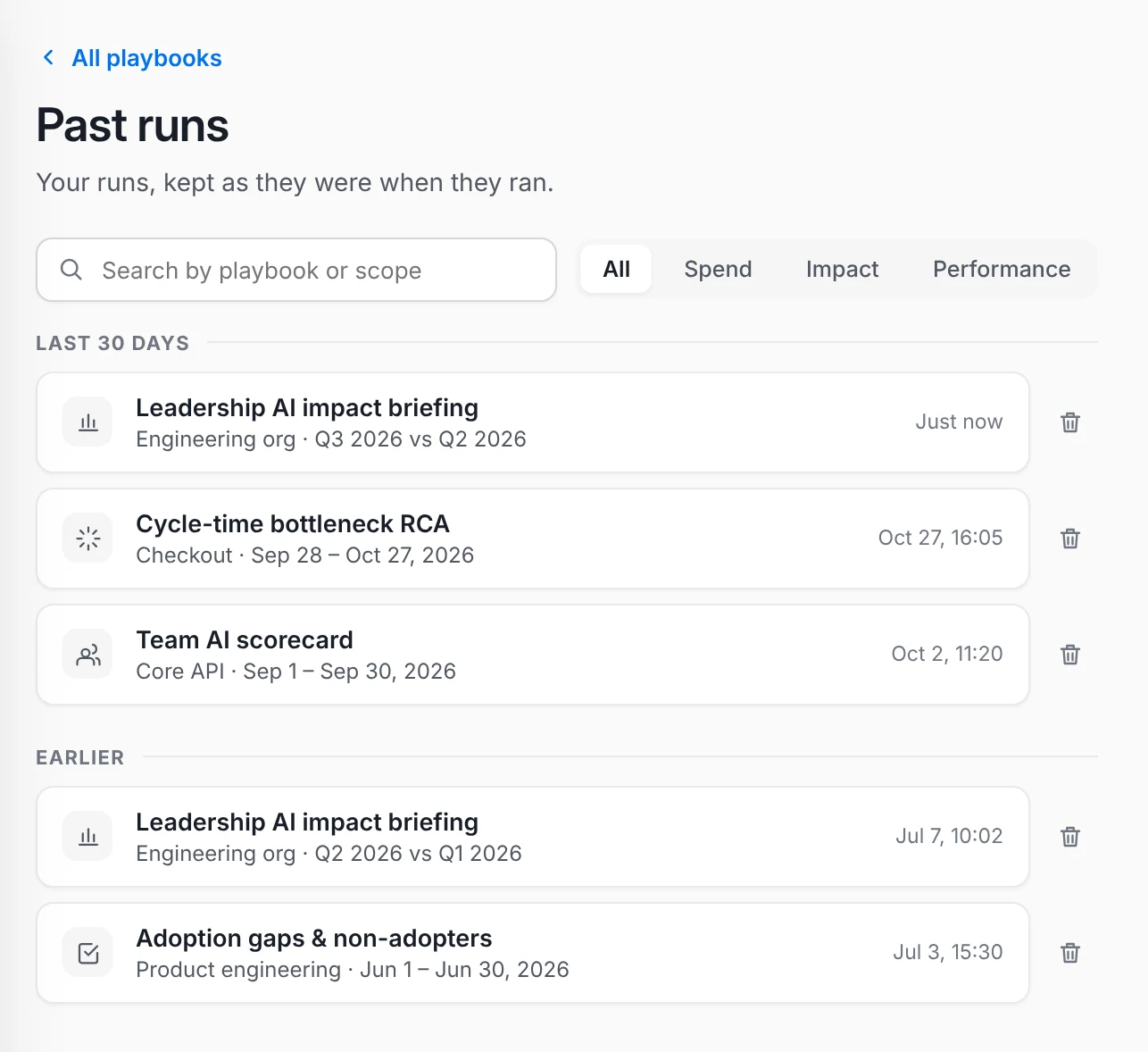
Because the method is fixed, a playbook comes out the same way on every run: same playbook, same parameters, same data, same figures, verdict and sections. Every run is kept as it was, so this quarter’s report sits next to last quarter’s.

  • Window, definitions, exclusions and denominators, printed in every report.
  • Last quarter’s run, unchanged, next to this quarter’s.
  • Export with the assumptions attached.
Playbooks Compare Runs
Playbooks Compare Method
Illustrative data
The playbooks

A playbook for each big
question.

Each one is a ready-made analysis built on Milestone’s know-how, grouped the way the gallery groups them.
AI spend

MTD AI spend review

Spend, model efficiency, throughput impact and waste for a single developer, ending in a budget call.

You set:DeveloperWindow
AI spend

AI ROI & waste check

Cost per PR, tokens not landing in code, and model efficiency against the prior period.

You set:ScopeWindow
AI spend

Agent working review

How a developer, team or group works with coding agents: tools, compaction, delegation, model mix and outlier sessions, against fixed thresholds.

You set:ScopeWindowAudience
AI impact

Team AI scorecard

Adoption, throughput, delivery, cost and quality against the prior equivalent period.

You set:ScopeWindow
AI impact

Leadership AI impact briefing

Before/after or period-over-period impact, normalized per developer, written for a named audience.

You set:ScopeComparisonAudience
AI impact

Adoption gaps & non-adopters

Adoption per group on the right denominator, who is not adopting, and whether gaps are closing.

You set:ScopeWindow
Performance

Manager performance deep-dive

Per-member metrics against the BU median, with anomalies, trend and PTO adjustment.

You set:ScopeWindow
Performance

Cycle-time bottleneck RCA

Finds the long tail, classifies where time is lost, and ranks the fixes.

You set:ScopeWindowGit PRs or Jira issues
For me

My AI usage self-check

Your own usage tier, adoption, spend and delivery against your team median.

You set:WindowYou are the scope.

Which playbooks you see follows your role, the same as AI Chat.

Questions

What engineering
leaders ask first.

What makes a playbook better than asking the assistant myself?

A playbook runs the analysis an expert would run for that question. It already knows the right metrics, definitions, denominators and exclusions, and it lays out the answer first. You pick it, set the scope and press Run. Asking the assistant works well for one-off questions; for the ones that matter, the playbook brings the method.

Where does the know-how come from?

From Milestone. Each playbook is built on Milestone’s know-how in measuring AI in engineering: the questions engineering leaders ask most and the analyses that answer them best. Milestone maintains every playbook, and every report shows the method it used.

Is this a prompt library?

No. A prompt library gives you someone’s words. A playbook gives you Milestone’s method: a vetted analysis with guardrails, metric definitions, a fixed set of sections and a saved run. You never write or see a prompt.

Will I get the same report every time?

Same playbook, same parameters, same data: the same figures, verdict and sections. Refresh with today’s data and you get a new run, saved beside the original, so you can compare.

Can I ask follow-up questions?

Yes. “Ask about this report” opens AI Chat with the report attached. The report stays as it is. To change what it’s built on, adjust the scope or window and re-run.

Who can see a run?

Access follows the user, the same as AI Chat. A run can’t show anyone data the product wouldn’t show them. Runs are private to the person who ran them, and you can export a report to take it with you.

Can I change a metric definition?

Not in this release. Each playbook uses Milestone’s standard definitions and shows them before you run. For a different cut, ask in AI Chat with the report attached.

How do we get it?

If you use Milestone, Playbooks are already in your assistant: Playbooks in the left nav, or “Run a playbook” on the assistant home. Which playbooks you see follows your role.

See a playbook in action.

Book a demo. We’ll run a playbook on a sample org with you, from the gallery to the export.